Quick Overview
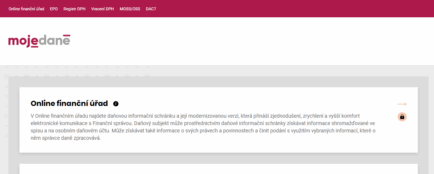
- DIS+ is the Financial Administration’s electronic self-service portal, available on the MOJE daně portal.
- There, you can view the status of your personal tax accounts, payments, overpayments, underpayments, and selected documents.
- You can fill out and submit electronic forms directly from DIS+ without needing an additional signature.
- You can log in, for example, using your bank ID, eID, or data box credentials.
- You can also grant limited access to an accountant, tax advisor, or another individual.
DIS+ does not replace the data box. The data box is primarily used for official deliveries, while DIS+ is a work environment for reviewing and handling tax matters.
The Tax Information Box is an electronic interface that allows taxpayers to remotely access selected data from their tax files and personal tax accounts. Since 2021, it has been a modernized version called DIS+. DIS+ is based on the Tax Code, and access to it is part of the MOJE daně portal. The original DIS was discontinued as of February 28, 2022, and its functions were replaced by DIS+.
DIS+ is not merely a marketing name, but rather a designation for an enhanced generation of the service: in addition to displaying information, DIS+ allows users to directly file and submit a variety of forms, set up notifications, manage permissions, and utilize pre-filled data in forms.
Are you solving a similar problem?
Tax legal advice
Not sure how to do your taxes correctly so you don’t get it wrong? We can help you navigate the law, whether it’s dealing with a specific tax situation, preparing for an audit by the tax authority or defending yourself in court.
I want to help
- When you order, you know what you will get and how much it will cost.
- We handle everything online or in person at one of our 6 offices.
- We handle 8 out of 10 requests within 2 working days.
- We have specialists for every field of law.
You can find DIS+ on the MOJE daně portal. From the home page, go to the “Online Tax Office” section, where you’ll verify your identity and log in. All it takes to activate the service is your first login —after that, the service is immediately available, with no need to wait for approval. Data (e.g., personal tax accounts, calendar, document overview) is typically populated within 48 hours of activation and is continuously updated in DIS+.
What login methods can you use:
- Citizen ID (e.g., eObčanka with a chip, BankID, MojeID, etc.);
- data boxlogin credentials ;
- access credentials assigned by the Financial Administration following a request and identity verification.
Access is intended for individuals —either taxpayers themselves or persons authorized to act on their behalf (statutory bodies, legal representatives, insolvency administrators, appointed representatives), or persons to whom you grant authorization.
It is important to note that login credentials (username/password and authorization phone number) can be assigned by the tax office (upon your request and after identity verification), and their revocation or modification can be handled directly in DIS+.
What You’ll Find in DIS+
After logging into a specific tax mailbox (your DIS+), you’ll see a summary of balances and recent transactions, along with a link to the Personal Tax Accounts section. Here, you’ll find an overview of your tax obligations and payments, broken down by individual taxes and tax offices (including information on what has been canceled). You’ll see assessed amounts, payments received, any overpayments or underpayments, and the status as of a given date. By default, DIS+ displays data for the current year and the four preceding years, and it is updated within 48 hours of a change made by the tax administrator.
What exactly is a personal tax account?
It is a tax authority recordwhere assessments, payments, and related charges ( e.g., interest and penalties) are tracked separately for each type of taxand each taxpayer. In DIS+, this data is presented in a clear, organized format, and you can view account activity at any time—in simple terms, what has been assessed against you and what you have paid. The DIS+ home screen also displays the balance—that is, the total of assessments and payments across all personal tax accounts as of the specified date.
From our experience: People often automatically assume that a displayed outstanding balance confirms they haven’t paid their taxes. However, this may also be caused by an incorrectly entered variable symbol, a payment sent to another tax office’s account, or a delay in posting the transaction. Before paying the tax a second time, check the transaction details and, if necessary, verify the status with your tax administrator.
In addition, DIS+ displays an overview of documents (selected documents recorded in the electronic file) and a personal tax calendar where you can set which types of events you want to track. You can receive notifications within DIS+ and via email, according to your own settings.
DIS+ has long since ceased to be just a “window” where you read something and that’s the end of it. The Financial Administration itself describes it as “electronic self-service” or an “online tax office” —that is, a place where you can actually handle a range of tax obligations without having to visit the office in person. From a practical standpoint, the biggest advantage is that in DIS+, you can not only view information from your personal tax account and selected parts of your file, but you can also fill out and submit tax returns directly from it, set up notifications, and manage users and permissions —that is, who can act on your behalf in the tax mailbox.
Electronic Forms (EPO) Directly from DIS+
In DIS+, you can fill out and submit electronic forms (EPO) directly within the MOJE daně portal. Crucially, when you submit a filing from a logged-in DIS+ account, the system automatically fills in the relevant identification data and allows you to submit it without the need for additional signatures (since you’ve already verified your identity by logging into DIS+). In practice, this means fewer steps and a lower risk of getting confused about which type of signature to choose.
You can prepare your submission and add information as you go, and in some situations, you can even check the status of your submission or view payment details—including a QR code—right away.
Pre-filling Forms in Practice
DIS+ can pre-fill selected data so that filling out the forms isn’t just a matter of retyping. Typically, it will fill in your identification information, and for some taxes, it even allows for more comprehensive pre-filling based on the tax administrator’s most recent known data.
For personal income tax, the logic is simple: if you’ve ever filed a return before, you can request pre-filling in DIS+ and then choose whether to load all available data or just selected items. Then you just fill in what has changed (new income, credits, deductions), review it, and submit it.
It works similarly for real estate tax: there’s a process for using DIS+ to pre-fill data from your last tax return. This is especially important for you if you’ve acquired additional properties, made changes (such as an addition or division of units), or simply want to verify that you’re entering the same basic information as last time.
Paying Real Estate Tax
Surprisingly, the biggest problem with real estate tax is a simple one: where to find the correct payment information and how to keep track of the due date. In DIS+, you’ll find not only the payment details themselves but also practical service information: the system shows you any overpayment or underpayment, the tax due, and can display payment details—including a QR code for payment via mobile banking. DIS+ also accounts for the fact that real estate tax is sometimes paid in two installments (typically when the tax reaches a certain amount) and will show you the payment type and due date for each installment.
Another important and often overlooked feature is the option to configure how you receive payment information (for example, via DIS+, a data box, email, SIPO, or a payment slip). DIS+ also keeps a record of received payment details —that is, when and where payment information was sent and what happened to the payment (typically for SIPO).
Documents and Files
DIS+ can provide access to a list of documents from the public section of your tax file—that is, an overview of what the tax office has received from you and what it has sent to you. For each document, you can open the details to view, for example, the reference number, document type, status, and, most importantly, delivery information (when the tax office received it, where and how it was sent, and when and how it was delivered).
Another practical feature is that for electronic filings sent via EPO, DIS+ can display the full content (typically as a PDF or XML file), so you don’t have to search for old files on your computer and can verify at any time exactly what you submitted.
And if you sent your filing via a data box, DIS+ goes one step further: it allows you to request that the tax administrator publish the XML file of the submission that was sent from your data box to the tax office’s data box, so you can archive it or use it to pre-fill a form.
Are you solving a similar problem?
Tax legal advice
Not sure how to do your taxes correctly so you don’t get it wrong? We can help you navigate the law, whether it’s dealing with a specific tax situation, preparing for an audit by the tax authority or defending yourself in court.
I want to help
- When you order, you know what you will get and how much it will cost.
- We handle everything online or in person at one of our 6 offices.
- We handle 8 out of 10 requests within 2 working days.
- We have specialists for every field of law.
Personal Tax Calendar and Notifications
DIS+ also offers a personal tax calendar that works just like a regular electronic calendar—only instead of birthdays, it tracks deadlines related to the tax authority. It shows you the statutory deadlines for filing tax returns as well as deadlines set by the tax authority (typically those from notices), and you can switch the view by period.
You can also customize these notifications yourself. In addition to notifications directly within DIS+, you can set up email notifications (and you can edit your email address in your user settings).
Access for Other Users: Managing Permissions and Authorizations
In practice, a company is often represented not only by its managing director or statutory body, but also by an accountant or tax advisor who handles day-to-day tasks—such as filing tax returns, communicating with the tax authority, monitoring payments, or keeping track of deadlines. That’s precisely why DIS+ allows you to grant access authorization to another individual, so you don’t have to handle every step personally while still maintaining control over who views the “tax mailbox” and what they can do there.
A major advantage is that the authorization isn’t an “all-or-nothing” proposition. In DIS+, you can precisely configure the scope of permissions based on what that person actually needs. For example, you can grant them view -only access (so they can see personal tax accounts and the status of tax obligations), or both view and submit everything (typically for an accounting firm that files tax returns). If you want to be more cautious, you can set permissions on a per-tax basis —for example, so that an accountant can view VAT but not handle other tax matters. And if one person in the company manages access for multiple users, you can assign them the role of administrator, granting them the authority to manage users and their access rights.
Sending an invitation is simple: DIS+ allows you to grant permissions either via a system-generated code that the authorized person uses when accepting the invitation, or by entering the authorized person’s ID number. In practice, this simplifies the process of granting access remotely while reducing the risk of error, as the system clearly links permissions to a specific individual.
How DIS+ Saves Time
Thanks to the integration of DIS+ with the EPO app, you can not only fill out your tax return but, more importantly, submit it directly from within DIS+ without having to worry about additional signing steps. This means you don’t need a recognized electronic signature, and you don’t have to print anything or send anything by mail. The submission is automatically authorized by your logged-in identity —that is, by the fact that you logged into DIS+ securely (for example, via bank identity, eID, or a data box).
In addition to the submission itself, DIS+ also saves you work when filling out forms. It can pre-fill some of the data (typically identification information and certain items from previous submissions), so you don’t have to start with a blank form every time. DIS+ also offers practical features for working on the form over time: you can save a work-in-progress form directly in DIS+, reopen it at any time, fill in the remaining information, and then submit it. You can also download the form for your own records or to send to your accountant—either as a PDF or as an XML file.
To help you navigate all of this easily, DIS+ has a well-organized “Forms” section where you’ll find both in-progress entries and submissions you’ve already sent. When you need to check later what you’ve actually submitted, you won’t have to search through emails or folders on your computer: you’ll find a copy of your return and a submission confirmation right in DIS+ under “Submitted.”
DIS+ vs. Data Box: What’s the Difference?
Many people feel that DIS+ is the same thing as a data box, just under a different name. In reality, these are two different services that complement each other, but each has a completely different primary purpose.
The data box is primarily a tool for official service of documents. Simply put, it’s an electronic mailbox that public authorities use as an official channel when they need to send you something. The key point about the data box is that delivery has legal consequences —that is, it triggers the start of deadlines, the creation of obligations, and often potential penalties if you do not respond to the document in a timely manner. That’s why it’s a good idea to treat your data mailbox as a place you need to check regularly, because an unread message can trigger the start of a deadline even if you haven’t actually opened it.
DIS+, on the other hand, is not a mailbox but a tool for tax administration. It functions as an online tax office where you can view your personal tax account (what has been assessed, what you’ve paid, whether you have an overpayment or underpayment), access selected parts of your tax file, track the tax calendar, and, most importantly, fill out and submit electronic filings. DIS+ therefore helps you stay organized and actively manage your tax affairs.
At the same time, both services are designed to work together. For example, you can log in to DIS+ using your data box login credentials, so you don’t have to deal with an additional authentication method. DIS+ can also track filings you’ve sent via the data box. You’ll find this particularly useful, for instance, when you submit a filing through one channel (the data box) but then want to check in DIS+ how the tax administrator has processed it and what’s happening in your personal tax account.
| Region |
DIS+ |
Data Box |
| Main Purpose |
Tax Administration |
Official electronic delivery |
| What You’ll Find There |
Personal tax accounts, payments, documents, calendar |
Received and sent data messages |
| Submission of Documents |
Tax forms and other filings with the tax authority |
General submissions to public authorities |
| Legal Effects of Delivery |
It is not primarily a delivery mailbox |
Delivery may trigger the start of statutory time limits |
| Access by other persons |
Permission levels can be configured in DIS+ |
Access is governed by data box rules |
| Interconnection |
You can log in using your data box credentials |
Can be used to submit filings to the tax authority |
Five Practical Tips to Help You Get the Most Out of Your Tax Portal
Before you dive fully into DIS+, it’s worth knowing a few simple “tips” that will ensure your tax mailbox isn’t just another portal in your collection, but a real help:
- Activate DIS+ in a timely manner. Although the service is immediately functional after your first login, it may take up to 48 hours for your account and file to be populated.
- Set up notifications and your personal tax calendar. Select the events you really need to keep track of (tax return deadlines, advance payment due dates).
- Check your personal tax accounts after every significant payment. This will help you avoid late payment interest and catch any incorrectly entered variable symbols or account numbers.
- If an accountant or advisor is filing on your behalf, grant them authorization with a clear scope and regularly monitor who has access to your DIS+ account.
- Take advantage of the pre-filled fields —this will reduce errors and speed up your filing. You can find copies of your filings and submission confirmations in DIS+ under “Submitted.”
Summary
The DIS+ Tax Information Portal is a voluntary online tool provided by the Financial Administration that allows you to check your personal tax accounts, payments, overpayments, underpayments, and selected documents. Directly from DIS+, you can fill out and submit electronic forms, use the pre-filled data feature, view payment information—including a QR code—set up a tax calendar, and grant limited access to an accountant or advisor. However, DIS+ does not replace the data box, which is primarily used for official deliveries with legal effect. Therefore, after every important submission or payment, be sure to check not only DIS+, but also your data box and the submission confirmation.
Frequently Asked Questions
Is the tax information box mandatory?
No. DIS+ is a voluntary, self-service system. However, we strongly recommend that you set it up and use it, as it allows you to immediately view the status of your payments and obligations and minimizes the risk of late-payment penalties.
Who can access my tax account?
In addition to you as the taxpayer, this includes persons authorized by law to act on behalf of the taxpayer (statutory representative, legal guardian, custodian, insolvency administrator, or trustee) and persons to whom you grant authorization with a specific scope of authority.
Is a submission sent from DIS+ signed?
Yes – sending a message from DIS+ is authorized by your verified identity and does not require an additional signature.
Which tax returns can DIS+ pre-fill?
Typically, personal income tax (if you’ve filed it before), as well as property tax or vehicle tax—by retrieving available data and history.